Race sessions you can trust — with graphs and leaderboards
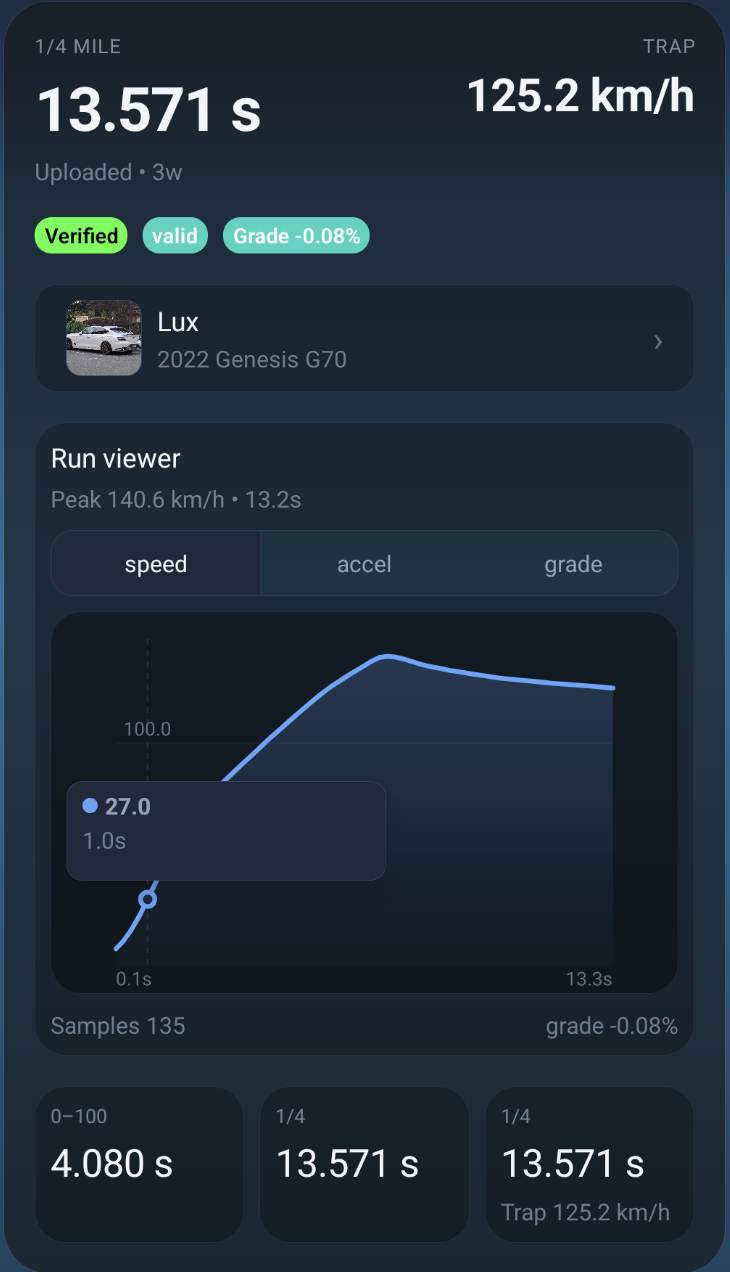
Validate changes with repeatable runs (0–60, 60–130, 0–130, 1/4 mile, and 1/2 mile), then review your runs with speed/accel/grade graphs and publish to leaderboards when you want.
Safety first (important)
Performance testing should be done safely and legally. Use a closed course/track when possible, and don’t create risk for other people.
Metrics (supported)
Run the metrics you actually use to validate changes — and keep them tied to a specific vehicle in your Garage.
Street/drag staples
0–60, 60–130, and 0–130 (mph + km/h variants where applicable).
Distance timing
1/8 mile, 1/4 mile, and 1/2 mile — plus trap speeds where supported.
Validation signals
Readiness gating, telemetry health, and grade estimates so you avoid comparing bad runs.
Sessions + uploads
Sessions connect your runs to the vehicle you selected — so your build changes and results stay linked.
How a session works
- Pick a vehicle from your Garage.
- Start a race session and connect a supported device (when applicable).
- Record runs, review results, then save your session history.
- Publish runs to leaderboards when you want them public.
What you get
- Clean session history per vehicle
- Run validity/quality labeling (signals + warnings)
- Run details view with graphs (speed/accel/grade)
- Uploads + publishing model for leaderboards
Run viewer + graphs
See where the time went. Graphs make it obvious if you spun, lifted, shifted late, or lost traction — and grade signals keep comparisons honest.
Speed graph
Spot traction issues, shift points, and consistency run to run.
Acceleration graph
Find dips, heat soak, and drivetrain limiting behavior.
Grade graph
See slope/grade estimates so you don’t compare downhill “wins”.
Leaderboards
Publish when you want to compete; keep runs private when you don’t.
Publish model (important)
- Unpublished runs: stay private in your history.
- Published runs: can appear on leaderboards and be opened by others.
- You control it: publish only the runs you’re comfortable sharing.
Why leaderboards matter
- Compare like-for-like metrics with context
- Open a run and see the details (not just a screenshot)
- Encourage repeatability instead of “one lucky pull” culture
RaceBox devices
Drivurs supports using compatible devices (like RaceBox) for GPS-based performance timing and telemetry workflows.
Supported RaceBox devices
- RaceBox Mini
- RaceBox Mini S
- RaceBox Micro
RaceBox is a third-party product. Drivurs is not affiliated with, sponsored by, or endorsed by RaceBox—we simply support using compatible devices.
Next up
Tie your racing results to your build changes, then coordinate sessions and share with your crew.