
Public build, private service detail.
Public build Service private
Save your mod list, photos, and service history with each car. Share your build while keeping maintenance records private.
Visibility
Public build, private service detail.
Build timeline
Add wheels, upload photos, log maintenance, update the mod list, and attach the current build to posts, events, and runs without rebuilding the story every time.
Build ledger
A record that changes with the car. Add the identity once, then let every part, service entry, and attached moment extend it.Add the car, visibility, profile media, and the details that make the build recognizable.
Keep the exact wheels, tires, power, and supporting details together as the car sits today.
Track installed modifications and keep old notes from obscuring the current setup.
Record maintenance visits and schedules without exposing owner-only detail publicly.
Use the same build details in community posts, events, runs, and discovery.
Build record
Create the vehicle profile
Add photos and cover media
Log mods and private maintenance
Attach the current setup where it matters
Inside the app
See your recorded horsepower, mod count, and build costs. Open a part to review its brand, cost, install date, and photos.

The whole build in one place
Illustrative NYC demo. Build details are owner-entered. AI-assisted image.View larger example ↗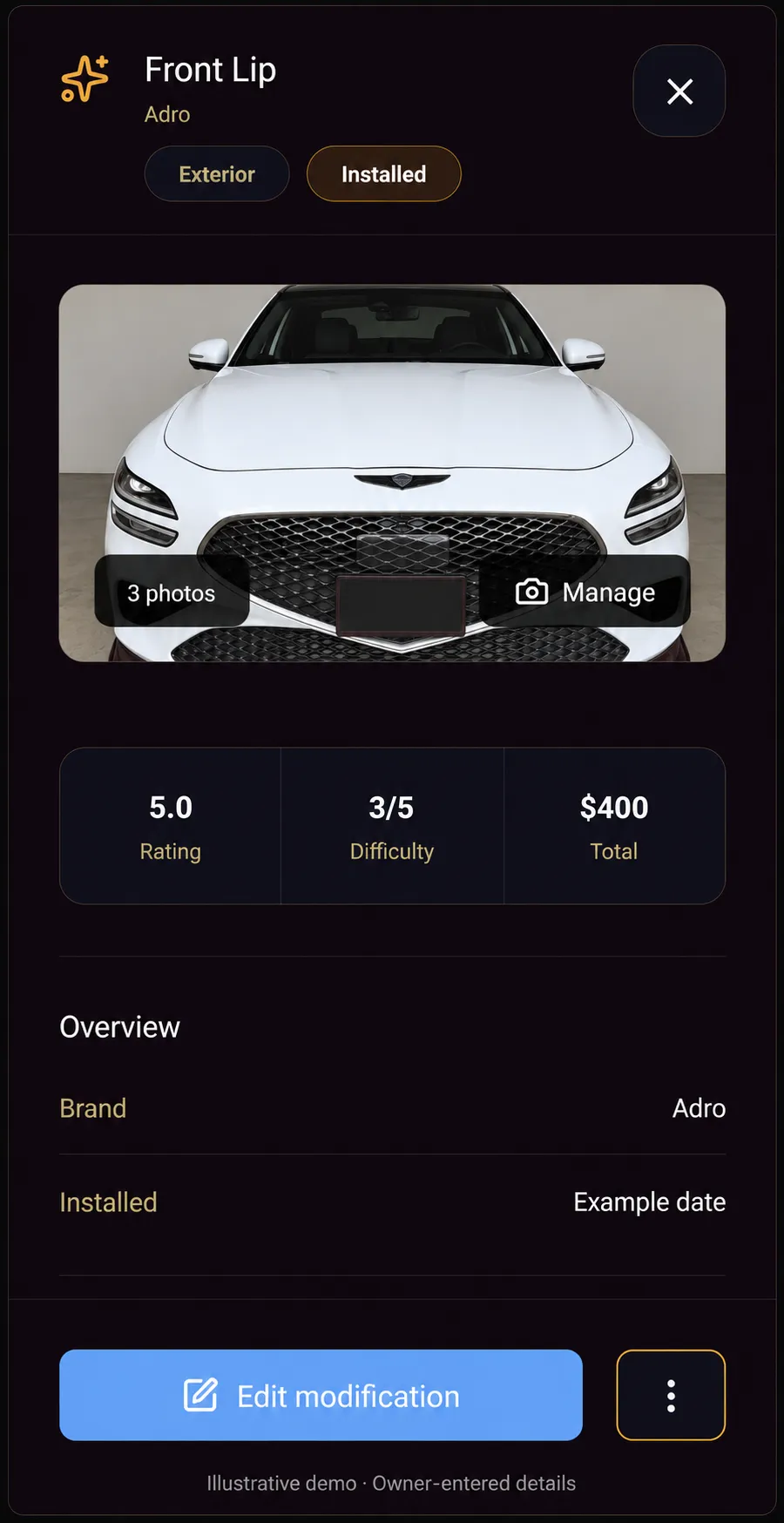
Every part keeps its own record
Illustrative demo. Part details are owner-entered. AI-assisted image.View larger example ↗In the app
The vehicle profile becomes the home base: the build people can see, plus owner-only maintenance detail, service notes, mods, and photos.
Build
Public
Make, model, trim, photos, and current setup.
Service
Private
Maintenance records, costs, and owner notes.
Details
Attachable
Posts, events, and runs can point back to the car.
Mod list
Structured changes stay readable.
Maintenance
Owner-only history stays private.
Profiles
Vehicles
Build identity starts with the car.
Make, model, year, trim, nickname, cover media, and visibility keep the record readable.
Private detail
Owner-only
Maintenance stays private by default.
Visits, service notes, reminders, and costs can stay with the owner even when a build is public.
Use it everywhere
Same car
Use the same vehicle in posts, events, runs, and discovery.
Garage prevents every conversation from starting with a fresh explanation of the car.
What you can do
One permanent record instead of scattered photos, notes, service history, and repeated explanations.
Audience
Track vehicle profiles with make, model, year, trim, nickname, cover image, and visibility.
Save build photos, choose cover images, reorder galleries, and remove outdated media.
Track modifications with notes, reviews, images, costs where supported, and build details.
Record private maintenance visits with odometer, vendor, services performed, costs, service notes, and reminders.
Share vehicle into posts, replies, racing sessions, events, and discovery areas.
What Garage includes
Build one clear vehicle record, then use it in posts, events, discovery, and Racing.
How it connects
Carry the same vehicle record into Racing, Community, Discover, and Search without explaining the build all over again.
Carry the same build into the places where its setup and history matter.
Racing sessions become clearer when the tested vehicle and setup are attached.
Open RacingCommunity posts can include the actual vehicle instead of vague captions.
Open CommunityPublic builds can appear in local discovery when visibility allows.
Open DiscoverSearch helps people find vehicles, threads, and events by real car details.
Open SearchDownload
Add your car, save your first mod, and keep your next service date handy.